Interactive archviz in Unreal Engine 5

Every room. Every hour. Before it's built.

We turn your drawings into a real-time walkthrough. Buyers move through the apartment themselves, switch the kitchen from white to walnut while standing in it, and watch the evening come in. The stills and films come from the same scene.

15 minutes on a video call. Dhruv runs the sample project live on a screen share, explains how it works, and asks a few questions about your project.

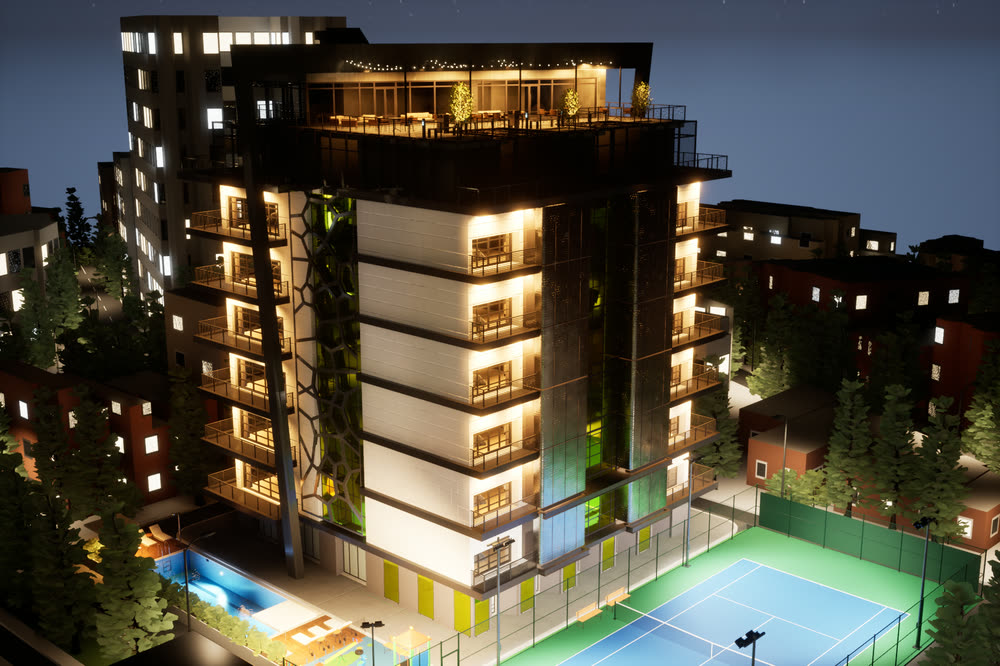
Night view of our sample project, rendered in real time in Unreal Engine 5

  • Real-timeBuilt in Unreal Engine 5
  • 3 roomswith live style switching
  • Day to nightstreet, city and room lights respond
  • 222interactions checked, floor by floor

Why interactive

Renders show a project. We let buyers walk it.

A render is one view that someone else chose. In a real-time app, the buyer picks where to stand, what to open and when the lights come on.

Renders and pre-rendered films

  • Fixed images and one camera path
  • Every finish option is another render
  • Day and night are separate images
  • Stills, films and 360s are often separate jobs

A real-time app from Archora

  • Buyers walk where they want, in overview or walk mode
  • Finish options switch in place, in the same room
  • The time of day changes live, and the lights respond
  • Stills and films come from the scene we've already built

A fair note: a specialist render studio can still win on a single billboard image. Our stills are real-time renders, good for marketing, and they come with a scene buyers can walk.

In the sample project

What buyers can do in it

Everything here is recorded in our sample tower. Any of it can be built into your project.

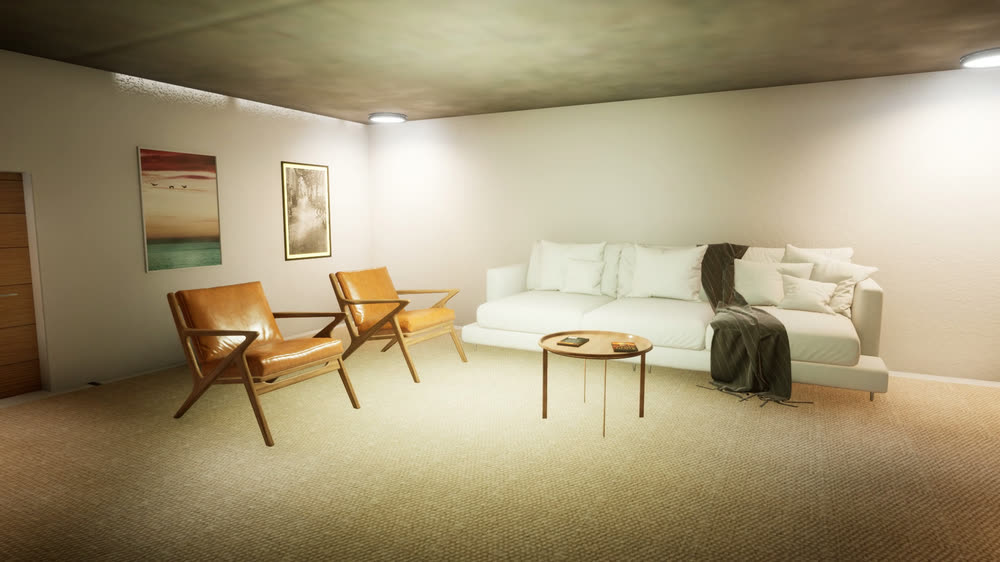
Living room in the Soft neutral set: a white sofa, light wooden armchairs and a round side table.
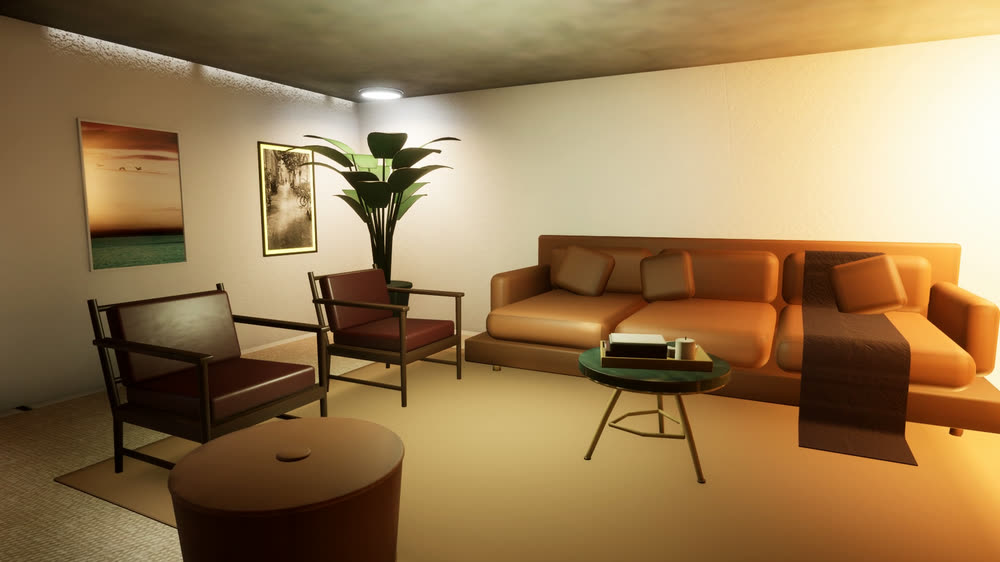
Sample project · edit modeThe living room switches style sets: the Soft neutral furniture shrinks away and the Warm jewel set grows into place.

Living room, Soft neutral set

Living room, Warm jewel set

Configurator

Switch the finishes, standing in the room

In edit mode, buyers swap whole style sets or single materials. Here the living room goes from Soft neutral to Warm jewel in a few seconds.
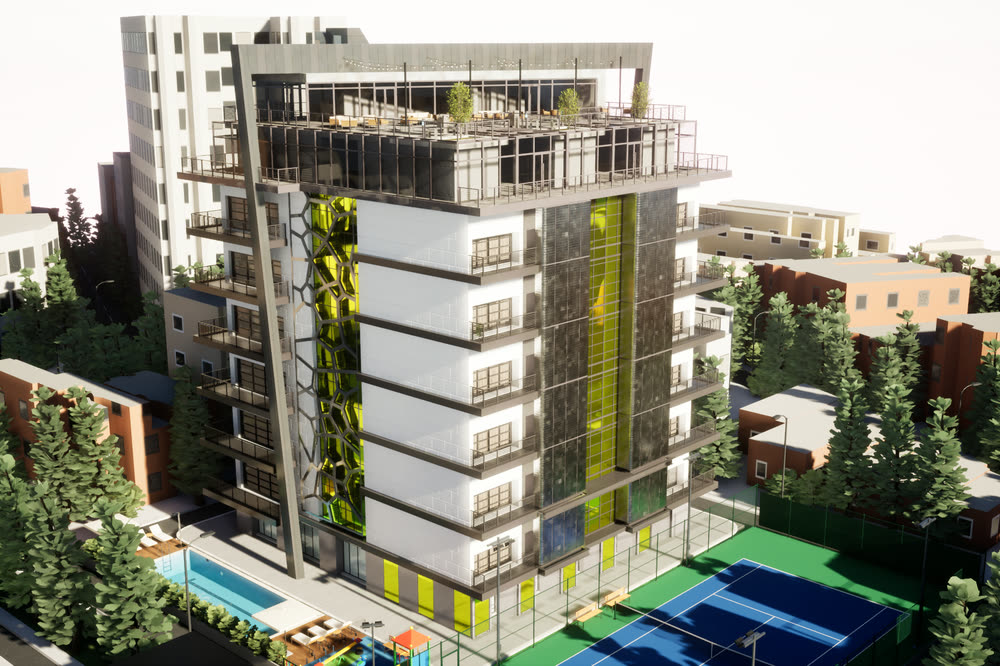
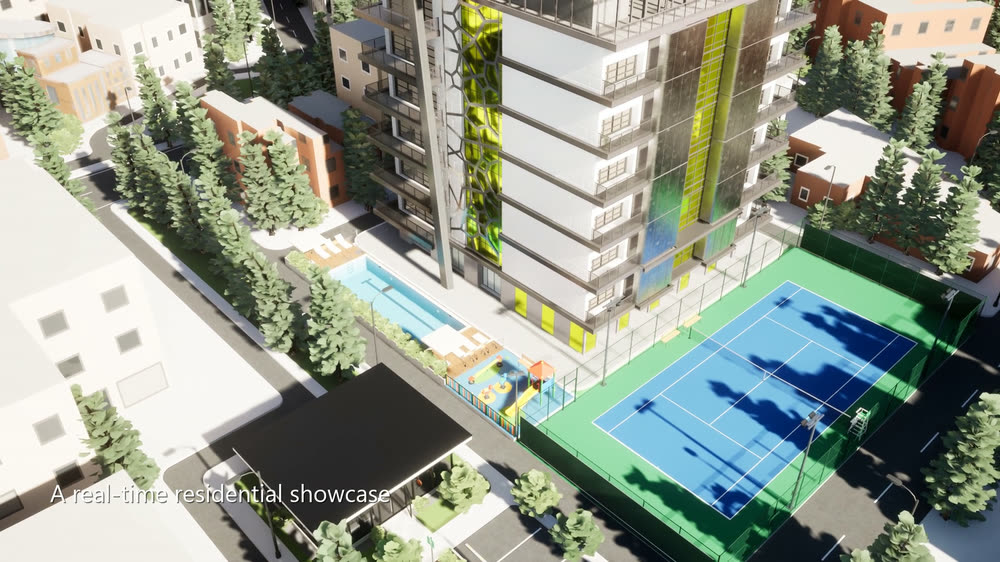
Daytime aerial view of the sample tower: a white residential block with green glass panels and a rooftop terrace, a lap pool and a blue tennis court at its base, among city buildings and trees.
The same aerial view at night: apartment windows, the rooftop terrace and the pool are lit, and windows glow across the surrounding city.
Time of day

See the evening, not just noon

Drag to compare. As the sun goes down, the street lights, the city windows and the lights inside the apartments come on.

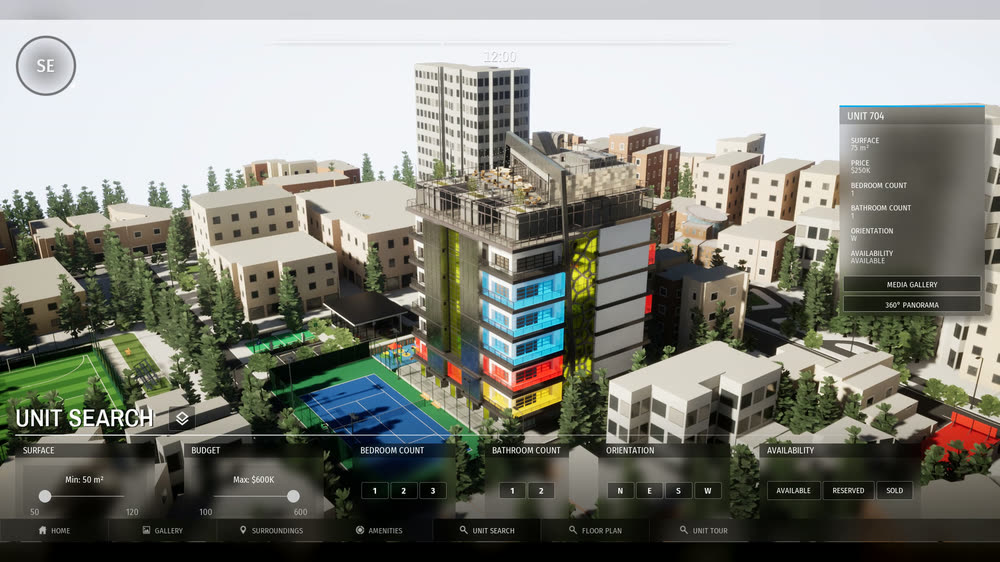
Sample projectThe sales menu: the unit search opens, a unit on the tower is selected and its details appear, then the floor plan opens with room labels.
Unit search

Find the unit, then open its plan

From the overview, buyers search the units on the tower, pick one, read its details and open the floor plan.

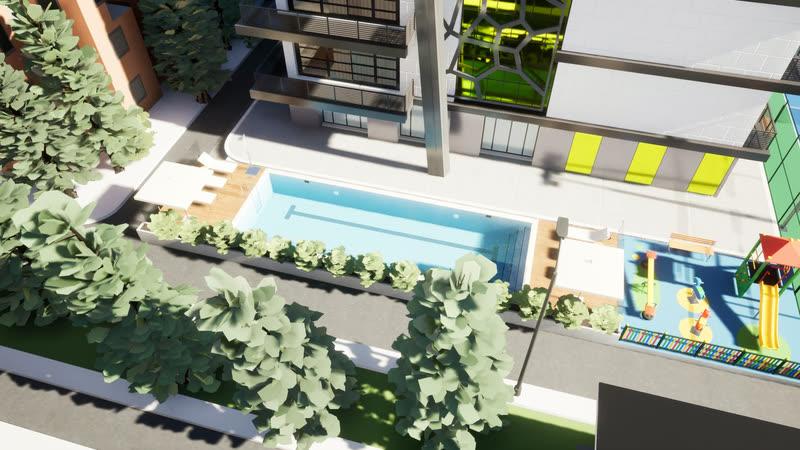
Sample projectAerial view of the lap pool and the kids' play area next to it.
Amenities

Show the amenities where they are

The pool, tennis court, play area and roof garden each have a camera view and an info panel, so buyers see what's included and where it sits on the site.

Sample project

A residential tower you can walk through

Play the 1-minute film Sample project film · 1 min 9 s · no sound

Sample project: residential tower and city block

  • Real-time
  • Configurator
  • Day to night
  • Amenities

We built this sample to show what an interactive sales app can do. It isn't a client project. It has an overview with unit search and floor plans, walkable apartments on six floors, three rooms with style switching, and amenities we modelled from scratch.

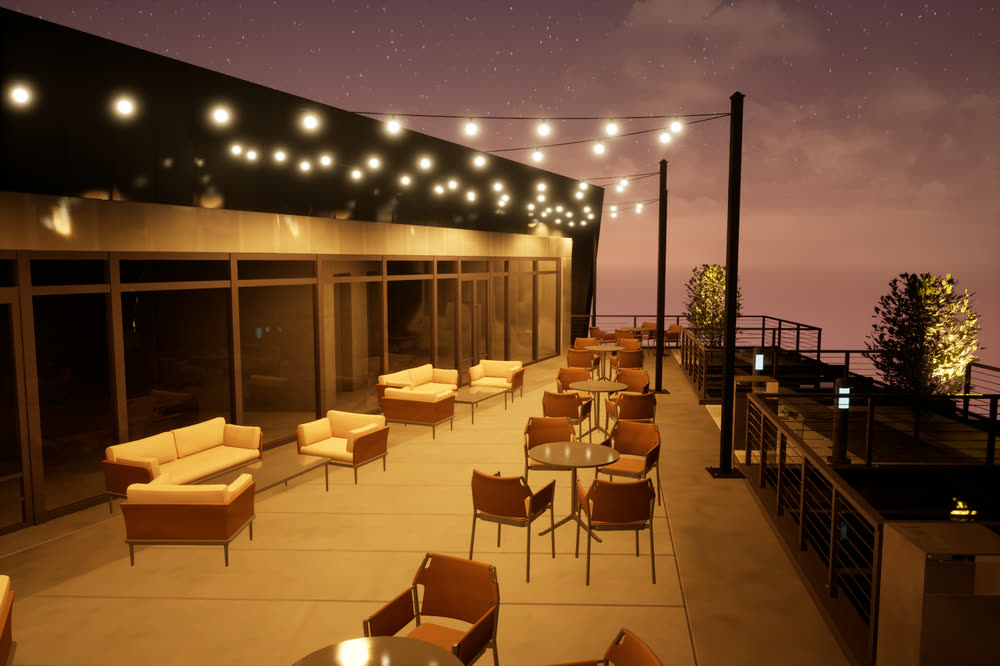
Roof garden at dusk, with string lights overhead, lounge sofas and a glass balustrade.
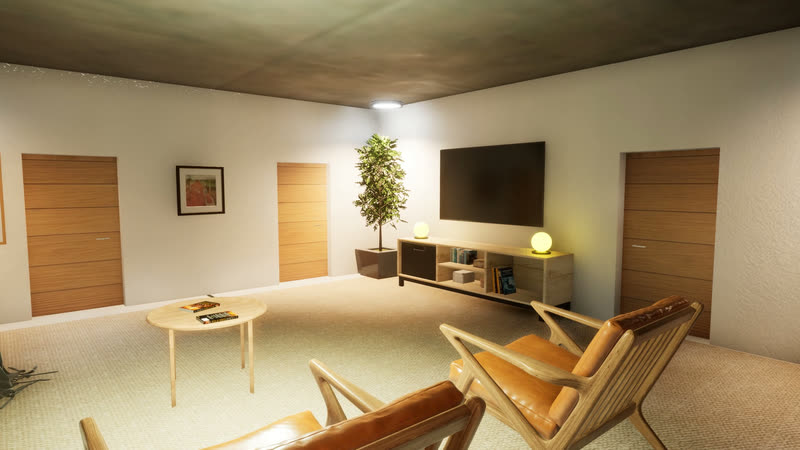
A second walk through the living room, past the armchairs and the TV wall.
The same aerial view at night: apartment windows, the rooftop terrace and the pool are lit, and windows glow across the surrounding city.
Sample project

Packages

Start with stills, or go fully interactive

Every package starts from the same real-time scene, so you can start small and add to it later.

Photoreal interior or exterior stills from a real-time scene.

  • Interior or exterior views
  • Built from your drawings or CAD
  • Fast turnaround
  • The same scene can later become a walkthrough
Pricing on requestAsk about stills

One apartment or villa as a walkable real-time app.

A whole tower or community, for your sales gallery.

How it works

From drawings to a walkable app

Four steps, with a written scope before any work starts.

See the full process
  1. Step 1

    Send your drawings

    Plans, elevations, CAD or BIM, and the finishes you want buyers to see. We reply with a written scope and a quote.

  2. Step 2

    We build the scene

    Modelling, materials, lighting and the interactions listed in the scope.

  3. Step 3

    Walk it with us

    You review a first walkable version on a call, ask for changes, and we refine it.

  4. Step 4

    Delivery

    You get the desktop app, plus the stills and film from the same scene.

Who builds it

You talk to the person who builds it

Archora Studio is run by Dhruv, a game developer who builds 3D worlds in Unreal Engine. He builds the scenes, the systems behind the menus and interactions, and the 3D assets himself. He's based in India and works with clients in India and abroad.

About the studio

Questions developers and architects ask

Still unsure? Email hello@archorastudio.com

Do you have client projects to show?

Not yet. Archora Studio is new, and the tower on this site is a sample project we built to show the whole pipeline. In a demo you see it working and can judge the work for yourself.

What do you need from us to start?

Drawings (plans, sections and elevations), 3D or BIM files if you have them, and the finishes you want buyers to see. Sketches work too; modelling from them takes longer.

How do buyers use the app?

It runs as a Windows desktop app, for example on a PC in your sales gallery or on your sales team's laptops. It needs a computer with a dedicated graphics card; we agree the exact hardware before we start.

Can buyers open it in a browser?

Browser streaming (Unreal Pixel Streaming) and VR are add-ons we set up on request. They aren't part of the public sample yet, so we'd scope and test them with your project first.

Do we get stills and a film as well?

Yes. They're rendered from the same scene, so they cost little extra compared with a separate render job.

How much does it cost?

It depends on the size of the project and how much of it is interactive. Send us the basics and we'll reply with a written quote. [TBD: add "from" prices once the user sets them]

Where are you based?

In India. We work remotely with developers, architects and interior designers in India and abroad, over video calls and shared folders.

Next step

Want this for your project?

Book a 15-minute demo of the sample, or send a few lines about your project. Dhruv replies personally [TBD: "within one working day" or another promise].

Book a 15-min demo

All fields are required unless marked optional.

A few lines are enough.

We use your details only to reply to this enquiry. They pass through our form and email providers. Read the privacy notice.

Sample project film

A 1-minute film of the sample project: the amenities from the air, the roof garden, unit search and the floor plan, a walk through the apartment, both style switches, and day turning to night. On-screen captions, no sound.

  1. The tower and its amenities from the air ("A real-time residential showcase")
  2. The roof garden
  3. Unit search: a unit is picked on the tower and its floor plan opens ("Search units and open floor plans")
  4. Walking through the living room, dining room, kitchen and bedroom ("Walk through every room")
  5. The living room and the kitchen and dining room switch style sets ("Switch interior styles instantly")
  6. The tower from the street as day turns to night ("Any time of day, live")
  7. End card: "Interactive real-time walkthrough. Built in Unreal Engine 5."